
Ask your
HRMS.
Not AI for the sake of AI. Zap Assistant helps users find and work with workforce information conversationally — on top of your HR data, with your permissions.
We introduce it after the core platform — because AI should extend a solid HRMS, not replace it.
AI that works
with your HRMS.
Zap Assistant is placed after you understand the platform — it’s an accelerant, not the product.
Locate employees, attendance, leave, documents by asking — not hunting through menus.
Answers are scoped to the user’s role and tenant — same controls as the rest of the platform.
Where supported, the assistant can navigate or trigger the underlying workflow — not a chatbot façade.
Example interactions
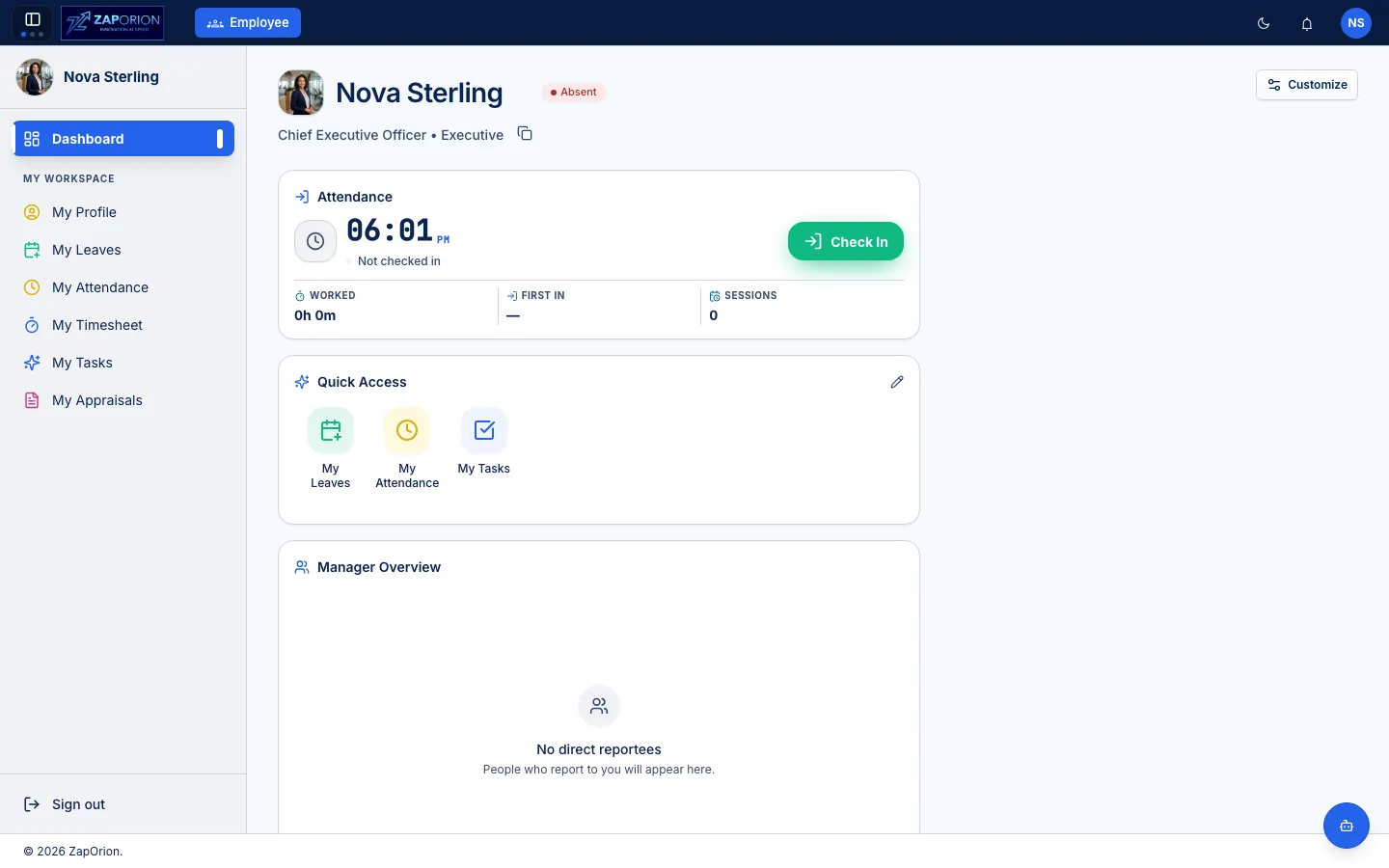
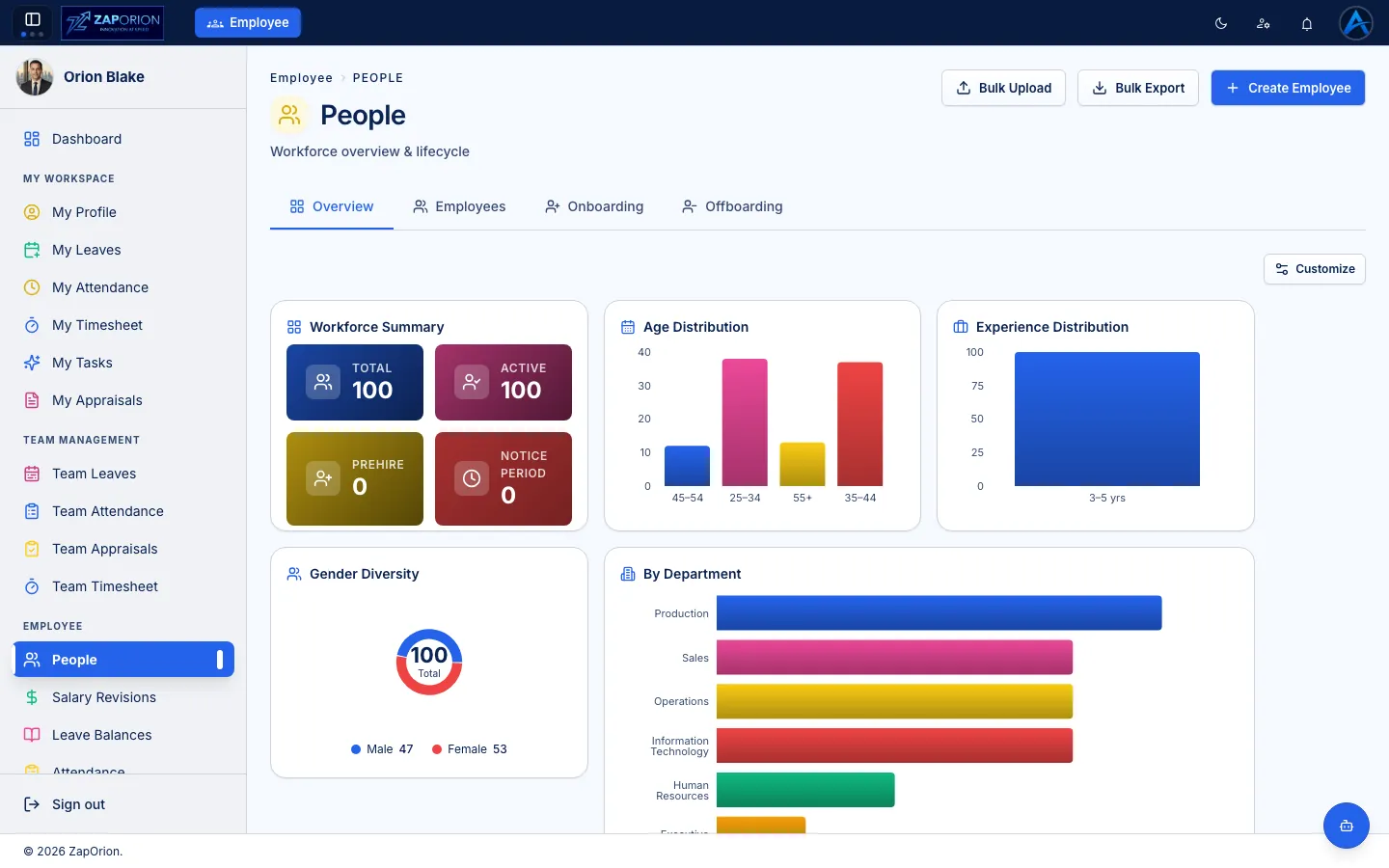
The assistant reads the same people/time/payroll data you already see in screenshots — dashboard.webp, people.webp, payroll-dashboard.webp — not a separate AI store. If a user can’t see a field in the product, they can’t ask it via assistant.
Ask policies. Get answers
from your documents.
Upload company policies — leave_policy, handbooks, compliance docs — to your tenant’s knowledge base. Zap Assistant then answers employee questions grounded in your documents via RAG, not generic AI.
Service Employee • Document type leave_policy • Choose file → Upload document. Accepted: PDF, DOCX, TXT, HTML, MD, MARKDOWN, ZIP, PNG, JPG, JPEG, WEBP. Tenant-isolated: employee-api • 0 documents → becomes searchable knowledge.
Employees ask in natural language — “What’s my leave_policy for sick leave?” — and get grounded answers. Streaming responses, permission-aware, no cross-tenant leakage.
Retrieval-Augmented Generation: chunks your policy docs, retrieves relevant passages, then generates answer with context. If not in docs, assistant says so.
Documents → chunk → embed → tenant KB → query → retrieve → generate. Knowledge stays in your tenant. Upload via Documents modal; chat via Zap Assistant dock on any page (e.g., My Attendance).
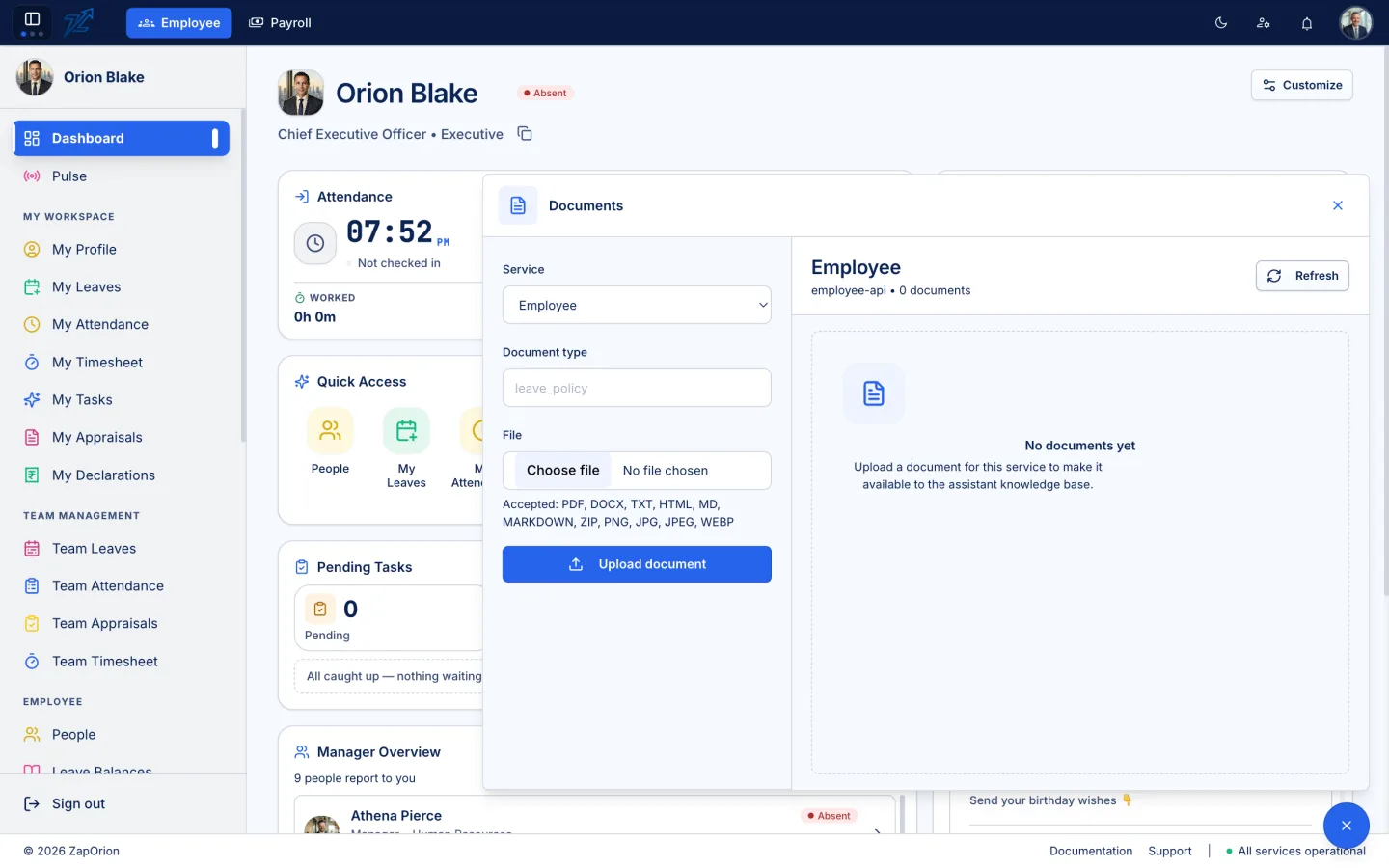
Upload to employee-api knowledge base (right) → ask via Zap Assistant dock — RAG-grounded, tenant-isolated.
See Zap Assistant with your data.
Book a short walkthrough — we’ll demo the assistant on an anonymised dataset, not a scripted video.